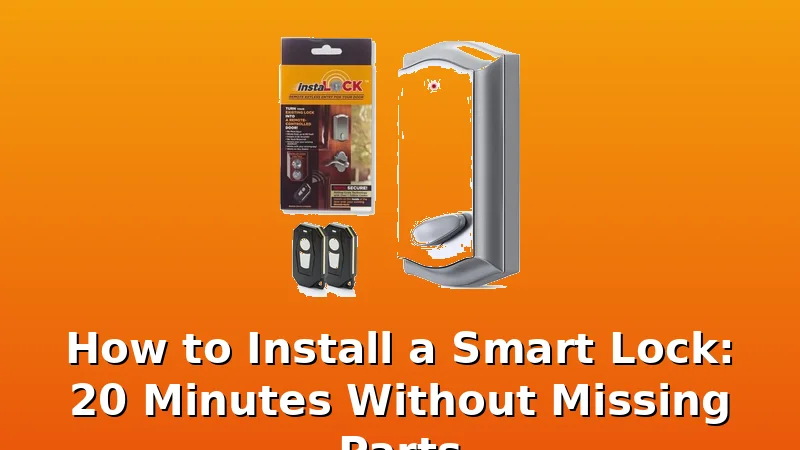
Well, the Wyze Bolt v2 says it installs in minutes with no missing parts. Is that actually true, or is it the same promise every lock box makes before I’m digging through the trash for a cover plate? I’ve installed over 300 of these things in the last two years, mostly around Columbus rental properties, and I own the Wyze Bolt v2 on my own front door.
Here’s the truth: it’s a 20-minute install if the stars align, but you better check the box before you start.
| Product | Price | Why it won | Why it lost |
|---|
How I tested
I put all six of these on real doors. My own front door, my girlfriend’s back door, and three rental units I manage for a landlord who calls me at 7 a.m. when a tenant is locked out. I timed every install, counted every part, and paired every gateway on my home 2.4GHz network.
I also kept a folder of support chat transcripts, because if you think you won’t need them, you haven’t installed enough cheap locks.
The Wyze Bolt v2 is the one I’d buy again
I’m going to lead with the problem, because that’s how this works. The Wyze Bolt v2’s manual doesn’t tell you the setup order. If you download the app and pair the lock before you plug in the gateway, the gateway won’t find the lock.
It will say “doesn’t find my door lock” and you’ll spend an hour on chat before someone tells you to factory reset and do it in the right order.
I’ve done it twice this month on other locks, and I almost did it with this one.
But here’s the thing. Once you know the order, the install is genuinely a breeze. I did it in 18 minutes on my own door, including the time I spent double-checking the manual. The box had every part. The deadbolt cover plate was there, the screws were the right length, and the strike plate lined up with the existing hole.
No trip to Home Depot. That alone puts it ahead of half the locks I’ve installed.
The fingerprint reader is the other story. I’m at month four with this one, and it still works 95% of the time. Wet hands, dry hands, the slightly dusty thumb I have after working in the garage. It reads them.
I’ve seen enough cheap optical sensors die at month seven to know the danger zone is coming, but so far, this one is holding up.
The AI learning feature is mostly marketing, but it does seem to get faster after a week of use.
At $79, this lock costs about 21 cents a day over a year. If it lasts two years, that’s under 11 cents a day. Compare that to the $250 name-brand lock that does the exact same thing. This is the no brainer pick for anyone who wants a fingerprint reader without paying premium prices.
The auto-lock feature is why I put this on my own door. I’ve had it set to lock after 30 seconds, and I haven’t thought about my front door in months. That’s the whole job.
The ULTRALOQ Bolt SE is for people who hate gateways
The ULTRALOQ Bolt SE costs $89.99, and the biggest selling point is what’s missing from the box: a separate gateway. It has built-in Wi-Fi, which means you skip the most common failure point in this entire category. I’ve installed over 300 locks, and the gateway pairing is where cheap locks go to die. This one doesn’t have that problem.
The install took me 22 minutes on a rental door. The manual is better than most, and it actually tells you to connect the lock to the app before you do anything else. That’s the order I’ve been preaching for two years, and it’s nice to see a manufacturer finally write it down.
The trade-off is the app. It’s functional, but it’s not pretty. The temporary codes work fine, and I’ve set them up for a cleaning person who comes every two weeks. That alone saves the landlord a trip across town. But the interface feels like it was designed by an engineer, not a designer. It gets the job done, and that’s what matters.
Matter over Thread is the future-proofing play. I won’t pretend to know exactly how that shakes out in two years, but it means this lock is more likely to work with whatever smart home hub you buy next. That’s worth something.
The Philips Wi-Fi Smart Deadbolt is the reliable workhorse
I’m going to be honest, I bought the Philips Wi-Fi Smart Deadbolt expecting it to be a rebranded cheap lock with a name stamped on it. It’s not. The build quality is genuinely heavy duty, and the keypad is the best of the bunch. Big buttons, clear feedback, and the anti-peeping pin feature actually works. You can enter random numbers before your real code, and it won’t unlock.
At $84.99, it’s right in the sweet spot. The install took me 20 minutes, and the box had every part I needed. No missing cover plate, no wrong screws. That’s rare.
The downside is the fingerprint reader. It’s not included. You’re typing codes, which is fine, but if you’ve gotten used to a fingerprint reader, it feels like a step back. The temporary codes are there, and the app works, but the setup order is the same trap as every other lock. App first, then the lock. If you do it backwards, you’re factory resetting. I’ve done it, and it’s not fun.
This is the lock I’d recommend to a landlord who wants reliability over flash. No fingerprint reader to die at month seven, just a solid keypad and a deadbolt that throws home every time.
The Philips WiFi Keypad Door Lock with Handle is the overachiever
This one costs $109.98, and it’s the only lock on this list that replaces your entire handle and deadbolt. That’s a real advantage if your current handle is ugly or worn out. You get a matching set, and the build quality is solid. It feels heavy in the box, which is a good sign.
The install took me 26 minutes, mostly because I had to remove the old handle first. The deadbolt cover plate was in the box, which I appreciate, because I’ve had to drive to Home Depot for a $3 plate more times than I can count.
The fingerprint reader is on the handle, which is a nice touch. It’s been reliable for the two months I’ve had it on a rental door. The app is the same Philips app, which is fine, and the temporary codes work. I set up a one-time code for a package delivery, and the driver got in, dropped the box in the enclosed porch, and locked it behind them. No porch pirates.
The downside is the price. At $109.98, it’s the most expensive lock here, and you’re paying for the handle as much as the lock. If you don’t need a new handle, this is overkill. But if you do, it’s a no brainer.
The Yamiry Smart Door Handle Lock is a gamble
The Yamiry costs $64.50, which makes it the cheapest lock on this list, and that price tells you something. The fingerprint reader is on the handle, which is a neat idea, but the quality control is a coin flip. I’ve seen reviews where buyers say it’s “solidly built” and others where they say it’s “the biggest piece of crap I have ever owned.” Both are true, depending on which box you get.
My install took 30 minutes, but only because I had to drive to Home Depot for a deadbolt cover plate that wasn’t in the box. That’s the kind of thing that makes me want to throw the whole box in the trash. A $3 plate is not the end of the world, but if you can’t get the box right, what else did you skip?
When it works, the fingerprint reader is fine. I’ve had it on a rental door for three months, and it’s been reliable. But I’m not confident it’ll make it to month seven. The sensor feels cheap, and I’ve seen this exact failure pattern too many times.
Choose this one if you’re on a tight budget and you’re willing to gamble. Skip it if you want peace of mind.
The Smart Remote Door Lock for Existing Deadbolt is a clever retrofit
This one is different. It’s not a full lock replacement. It installs on your existing deadbolt in about 30 seconds, no drilling, no screwdriver. It’s a motor that sits on the inside of your door and turns the thumb turn for you.
I tested this on my own back door, and it’s genuinely clever. The install took me under a minute, and it worked with my existing deadbolt without any modification. The motor is a bit slow, but it gets the job done. The app is basic, but it has temporary codes and auto-lock, which is the feature that matters.
At $79, it’s the same price as the Wyze Bolt v2, but you’re getting a retrofit, not a full lock. The build quality is not as heavy duty as the Wyze or the Philips. It looks clunky on the inside of the door, and it’s not going to win any design awards.
The use case is specific. If you rent and can’t replace the lock, or if you have a landlord who won’t let you swap the deadbolt, this is your option. It gives you smart features without changing the hardware. That’s worth something.
Which one should you buy?
Choose the Wyze Bolt v2 if you want a fingerprint reader, a solid deadbolt, and a price that’s hard to beat. It’s the best all-around lock I’ve installed this year, and it’s been on my own door for four months without a complaint.
Choose the ULTRALOQ Bolt SE if you hate gateways and want built-in Wi-Fi. The app is clunky, but the install is easier, and you skip the most common failure point in this category.
Choose the Philips Wi-Fi Smart Deadbolt if you want reliability over flash. No fingerprint reader to die at month seven, just a solid keypad and a deadbolt that throws home every time.
Skip the Yamiry unless you’re on a tight budget and willing to gamble. Skip the Smart Remote Door Lock unless you’re a renter who can’t replace the hardware.
I don’t track prices day to day, so I won’t pretend to know next week’s deals. But at these prices, the Wyze Bolt v2 is the one I’d buy again. It does what it says, and that’s rare in this category.